How to Train an AI Chatbot on Your Shopify Store Data
A step-by-step guide to training an AI chatbot on your Shopify store data: what to feed it, how to structure policies and FAQs, and how to test before go-live.
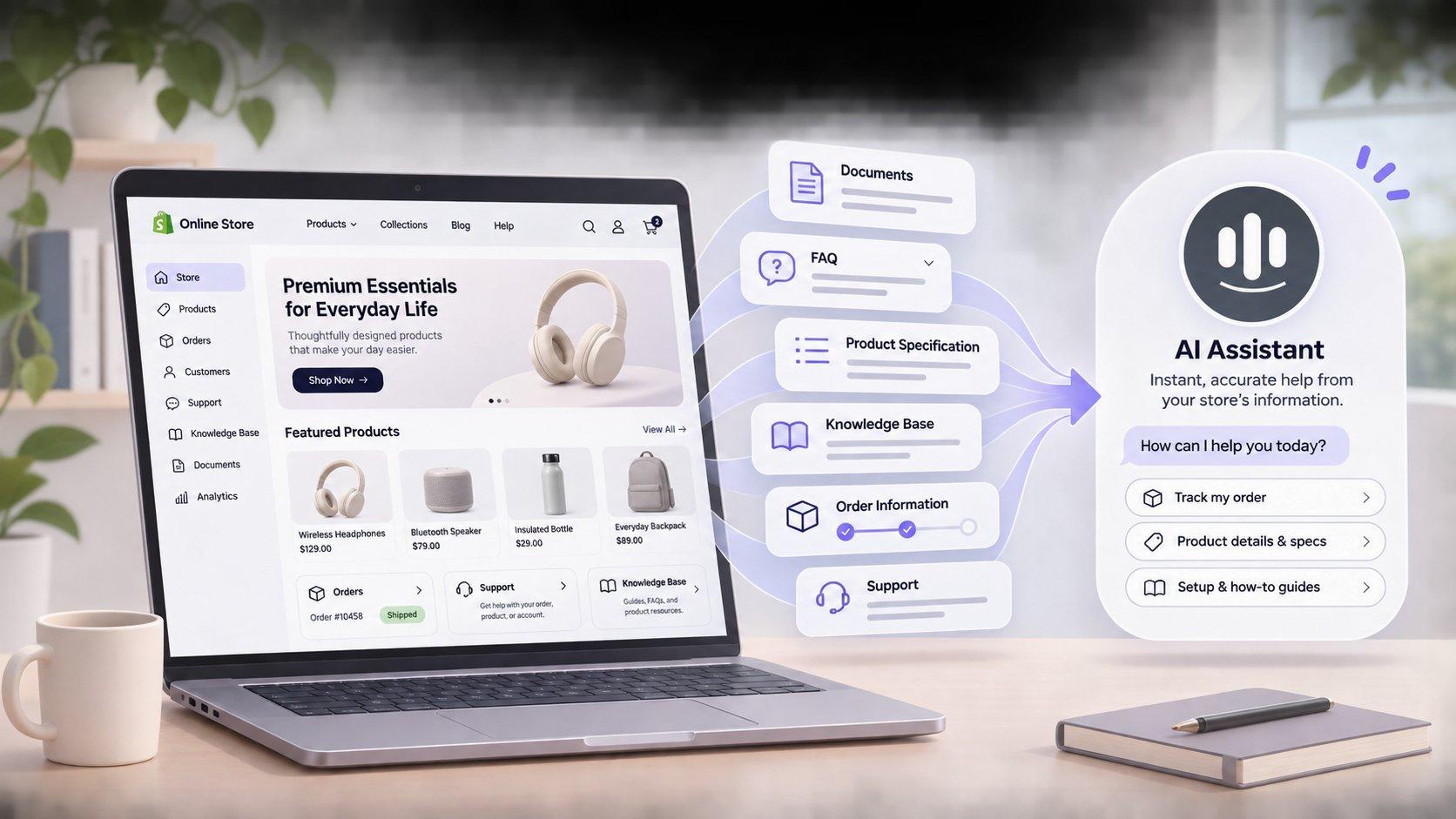
How to Train an AI Chatbot on Your Shopify Store Data (No Developer Needed)
Short answer: you train an AI chatbot for Shopify by giving it the same information a great new support hire would need: your product catalog, shipping and return policies, sizing and care guides, and answers to the questions customers ask most. Clean up that content first, connect the chatbot to your store so it can look up live order and product data, then test it in a "draft only" mode before you let it reply to customers on its own.
The good news is that none of this requires code. The hard part isn't the technology; it's deciding what your store's "truth" is and writing it down clearly. This guide walks you through it.
Why "training" matters more than the chatbot you pick
An AI chatbot is only as good as the information it answers from. If your return policy lives in three slightly different versions (a footer page, an old FAQ, and a pinned Instagram story), the bot will be as confused as a new employee would be.
Most bad chatbot experiences come from one of three problems:
- Missing information. The bot doesn't know your holiday shipping cutoffs, so it guesses or deflects.
- Conflicting information. Two pages say different things, and the bot picks the wrong one.
- No access to live data. The bot can explain your shipping policy but can't tell a customer where their order is.
Fix those three and you've solved most of the problem before you even switch the bot on.
Step 1: Audit the questions you actually get
Before writing anything, look at what customers ask. Export or scroll through the last few weeks of messages from your store chat, email, Instagram DMs and WhatsApp. Group them into buckets. For most Shopify stores, the buckets look something like this:
- Order status ("Where is my order?")
- Shipping times and costs
- Returns, exchanges and refunds
- Sizing, fit and product details
- Stock availability
- Discounts and promo codes
- Payment and checkout issues
Count roughly how often each comes up. The top three or four buckets are where your training effort pays off first.
Step 2: Gather your source material
Now collect everything that answers those questions. Typical sources include:
- Product catalog: titles, descriptions, variants, materials, dimensions.
- Policy pages: shipping, returns, exchanges, warranty, privacy.
- Sizing and care guides: size charts, fit notes ("runs small"), washing instructions.
- Existing FAQ page.
- Internal notes: the things your team "just knows" but never wrote down, such as which carrier you use for international orders or what you do when a parcel is marked delivered but never arrived.
That last category is the one most stores skip, and it's often the most valuable.
Step 3: Clean and structure the content
AI models handle messy text reasonably well, but clear, structured content gives noticeably better answers. A few rules of thumb:
One topic per section. Don't bury your exchange policy inside a long paragraph about shipping. Give it its own heading.
State the rule, then the exceptions. For example:
Returns: unworn items can be returned within 30 days of delivery. Exceptions: final-sale items and earrings cannot be returned.
Use the words customers use. If customers say "send it back," include that phrase alongside "return."
Remove contradictions. If an old FAQ says 14 days and your policy page says 30, fix the source before you train the bot.
Date-sensitive info gets a date. Holiday cutoffs, seasonal promotions and temporary delays should state when they apply, so they can be updated or removed later.
Step 4: Connect live store data
Static documents answer "what's your policy?" They can't answer "where's my order?" or "is the medium in stock right now?"
That's why your chatbot needs a direct connection to Shopify. With store data connected, the bot can look up order and tracking status, check product availability, and recommend products from your actual catalog instead of guessing.
When you evaluate tools, check exactly what the integration can do: read-only lookups, creating draft orders, or more. Then decide which of those actions you're comfortable letting the AI take on its own.
Step 5: Define the handoff rules
A well-trained bot knows what it shouldn't answer. Write down the situations that should always go to a human, for example:
- A customer is upset or mentions a complaint.
- A request involves a refund above a certain amount or an exception to policy.
- The bot isn't confident in its answer.
- The question needs judgment, such as a custom order or a wholesale inquiry.
The handoff should include a summary of the conversation so your team doesn't have to ask the customer to repeat themselves.
Step 6: Test in "draft only" mode first
Don't go straight from setup to live replies. Run a shadow period where the AI drafts answers but a person decides whether to send them. Track:
- How many drafts are approved without edits.
- Which topics need the most corrections (these point to gaps in your content).
- Whether the bot hands off at the right moments.
Agree on two or three success criteria before you start, such as "most drafts approved without edits" and "first reply in under a minute." When the bot consistently meets them, move it to answering common questions on its own while sensitive actions still wait for approval.
Step 7: Keep it fresh
Training isn't a one-time job. Update your knowledge whenever you:
- Change a policy or shipping partner.
- Launch a new product line or retire an old one.
- Run a seasonal promotion with its own rules.
- Notice the bot handing off the same question repeatedly (a sign of a content gap).
A quick monthly review of handed-off conversations is usually enough to keep things sharp.
How TaggoAI helps
TaggoAI for Shopify (listed on the Shopify App Store as Taggo: AI Chatbot) is built around this workflow:
- Fast setup from your own content. Paste your store link or upload files such as price lists and policies, and TaggoAI creates an AI agent in minutes.
- Answers only from your data. The AI responds based on your business information. When it isn't sure, it hands off to a person with a conversation summary.
- Live store actions. Product advice, order tracking, and draft order creation, 24/7, across your store chat, Messenger, Instagram, WhatsApp and email.
- Control over autonomy. Choose how independent the AI is, from suggestions only, to drafts awaiting approval, to replying on its own for common questions while important actions wait for you.
- Safe trial period. During the 14-day trial, the recommended approach is to let the AI draft without sending for the first week, so your team can grade its answers before it goes live.
Your data is kept separate per business and isn't used to train AI models.
FAQ
How long does it take to train a Shopify chatbot? Creating the agent from your store link and documents can take minutes. Preparing clean content and testing it properly usually takes longer, often a few days to a couple of weeks depending on how organized your policies are.
Do I need a developer? No. Most of the work is writing and organizing content. Connecting to Shopify is typically an app install.
What if the chatbot gives a wrong answer? Start in draft-only mode, set clear handoff rules, and fix the source content when you spot an error. Wrong answers are usually a sign of missing or conflicting information.
Should I train the bot on my entire website? Start with your policy pages, FAQ and product data. Blog posts and marketing copy can add noise if they include outdated promotions.
Conclusion
Training an AI chatbot on your Shopify store is really an exercise in getting your own information in order. Audit what customers ask, write clear answers, connect live store data, set handoff rules, and test before going live. Do that, and your chatbot becomes the knowledgeable teammate who never sleeps rather than a frustrating gatekeeper.
Ready to try it on your own store? Install Taggo: AI Chatbot from the Shopify App Store and start your 14-day trial.
Ready to elevate your customer experience?
Deploy intelligent AI agents for your business in minutes.

