8 Ways to Turn Shopify Chat Conversations into Segments
Every customer chat reveals what shoppers want. Here are 8 practical ways to turn Shopify conversations into tags and segments for more relevant marketing.
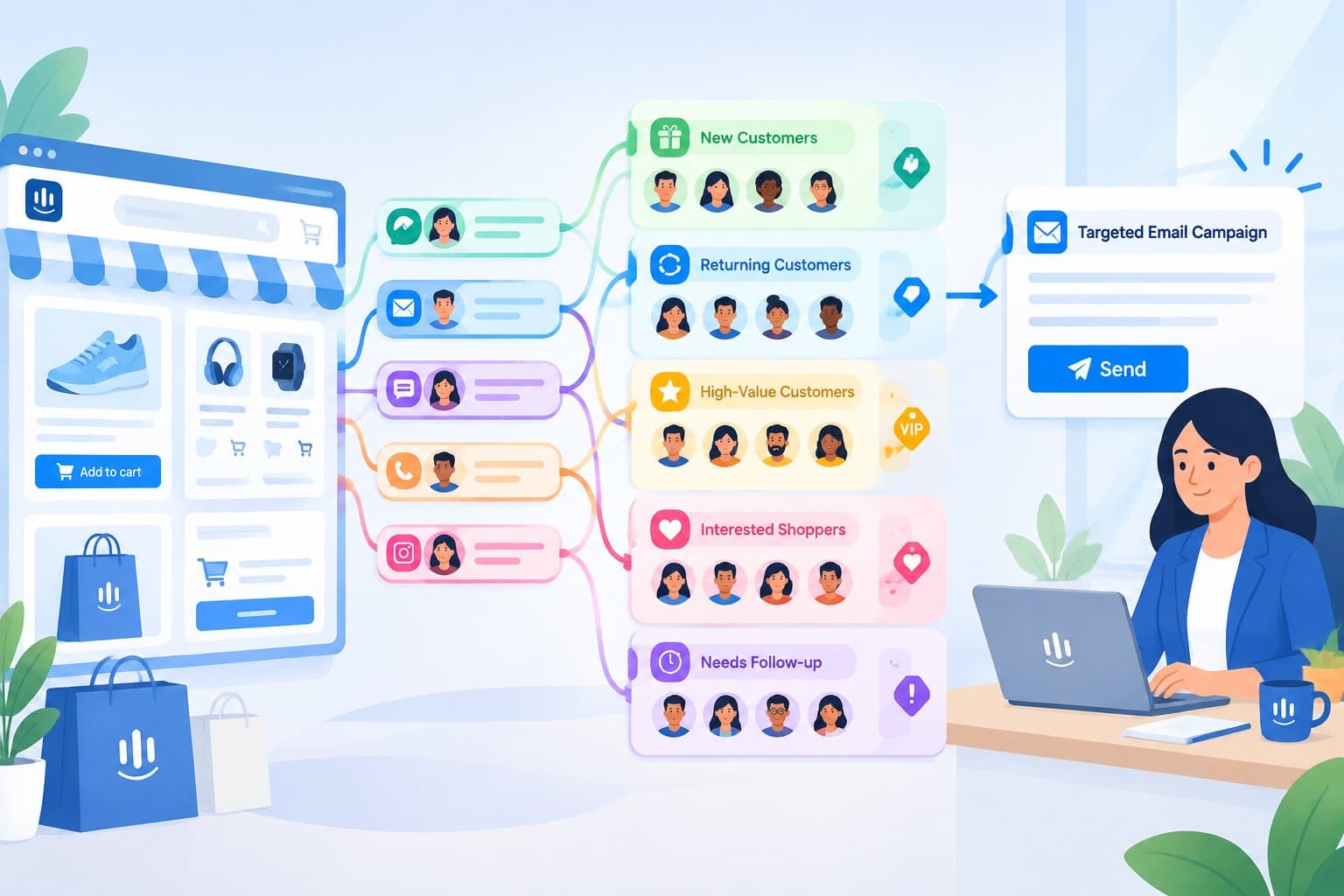
8 Ways to Turn Chat Conversations into Customer Segments for Your Shopify Store
Short answer: customer conversations are one of the richest sources of first-hand data a Shopify store has. By tagging what shoppers tell you in chat (their needs, preferences, timing and concerns) and grouping customers by those tags, you can send fewer, more relevant messages that people actually want to open. Below are eight practical ways to do it.
Most stores segment customers by what they bought and when. That's useful, but it misses something: why they bought, what they were looking for, and what nearly stopped them. That information often appears only in chat. A shopper might say, "I need a gift for my sister who loves hiking," or "Do you have this in a wider fit?" Those sentences are marketing gold, and they usually disappear once the conversation is closed.
Why chat data makes better segments
Information that customers share willingly in conversation (sometimes called zero-party data) has two big advantages:
- It's explicit. You don't need to guess intent from clicks; the customer told you.
- It's timely. It reflects what the shopper needs right now, not what they did months ago.
Used respectfully, it lets you personalize without being intrusive.
1. Tag the reason for purchase
Add a tag when a shopper mentions why they're buying: gift, self-purchase, replacement, event, business use. Gift buyers, for example, are great candidates for holiday gift guides and "order by" reminders. Self-purchasers may respond better to restock and care tips.
2. Capture size, fit and preference details
When a customer shares their size, preferred color, skin type or compatible device, tag it. Later you can send "your size is back in stock" or "new colors in your favorite style" messages that feel like a service, not an ad.
3. Flag "almost bought" conversations
Some shoppers ask detailed questions and then leave without buying. Tag these conversations with the topic they asked about (price, shipping time, sizing) and the product. These customers are already interested; a helpful follow-up that addresses their exact concern often works better than a generic discount.
4. Segment by the objection you heard
Track the most common hesitation for each customer:
- Shipping cost → highlight free-shipping thresholds
- Delivery time → share cut-off dates before holidays
- Fit uncertainty → send sizing guides and exchange policy
- Price → feature bundles or value-focused content
Objection-based segments help you speak directly to what's holding people back.
5. Identify your most engaged customers
Customers who chat often, ask thoughtful questions and come back to buy again are your community. Tag them as engaged or VIP. They're ideal for early access, feedback requests and new-product previews, and they are often the people most likely to recommend you.
6. Note timing signals
Shoppers frequently mention dates: "It's for a birthday on the 12th," "I'm moving next month," "I need it before Christmas." Recording timing lets you send reminders when they're actually relevant, for example a note about holiday shipping cut-offs to everyone who mentioned a December event.
7. Track support-heavy customers separately
Customers who had a problem (a late delivery, a damaged item, a difficult return) need a different kind of message. Before sending them a promotion, check that their issue was resolved. A short, sincere follow-up can turn a bad experience into loyalty, while an untimely sales email can make it worse.
8. Group by channel preference
Some customers always message on Instagram, others prefer email or WhatsApp. Tagging the channel they use helps you reach them where they're comfortable, and avoids sending the same message everywhere.
Putting it together: from tags to campaigns
Once you have tags, combine them into segments that drive specific actions:
| Segment | Built from | Example message |
|---|---|---|
| Holiday gift buyers | gift + timing mentioned in Nov/Dec | Gift guide + shipping cut-off reminder |
| Size-specific waitlist | size tag + out-of-stock question | "Your size is back" |
| Almost-bought, shipping concern | no order + shipping cost objection | Free-shipping threshold reminder |
| VIP community | engaged + repeat purchases | Early access to a new collection |
| Recovering customers | resolved support issue | Check-in, no promotion |
Keep segments small and specific at first. Five well-defined segments are more useful than fifty you never use.
Respect privacy and consent
Only record what customers chose to share and what's relevant to serving them. Follow the privacy rules that apply in your markets, honor unsubscribe requests, and make it easy for customers to ask what you hold about them.
How TaggoAI helps
- Customer profiles and tags. TaggoAI Inbox includes a Mini CRM with customer profiles, tags, pipeline and purchase history, so information from conversations doesn't get lost.
- Every channel in one place. Store chat, Messenger, Instagram, WhatsApp and email conversations land in one inbox, so tags reflect the whole relationship.
- AI that records as it works. The TaggoAI Agent can log customers into the CRM while it answers questions, recommends products and looks up orders.
- Segmented broadcasts and automated sequences. Send email campaigns and automated care sequences to specific customer segments.
- A teammate for the busywork. TaggoAI Teammate can handle requests like "filter customers who haven't bought again in 60 days" through a simple chat request.
- A 360° view. TaggoAI Brain brings customer profiles and knowledge together so what the AI learns in chat is available across your tools.
FAQ
Isn't tagging every conversation too much work? It can be if done manually. Start with three or four tags that matter most, and use automation where possible so tagging happens as part of the conversation.
How many segments should a small store have? Start with a handful tied to specific campaigns you'll actually run. Add more only when you have a clear use for them.
Can I use chat data for email marketing? Yes, as long as customers have agreed to receive marketing and you follow applicable privacy rules. Chat data is especially useful for making those emails more relevant.
What's the most valuable tag to start with? For many stores, it's the purchase reason, especially gift, because it shapes timing, messaging and product recommendations.
Conclusion
Every chat is a customer telling you what they want. Capture those signals with simple tags, turn them into focused segments, and your marketing becomes more helpful and less noisy.
Ready to put your conversations to work? Try TaggoAI for Shopify and start building segments from every chat.
Ready to elevate your customer experience?
Deploy intelligent AI agents for your business in minutes.