AI Product Recommendations in Chat for Shopify
Learn how to use AI chat to recommend the right products on Shopify: a step-by-step guide to building a holiday gift finder that helps shoppers decide faster.
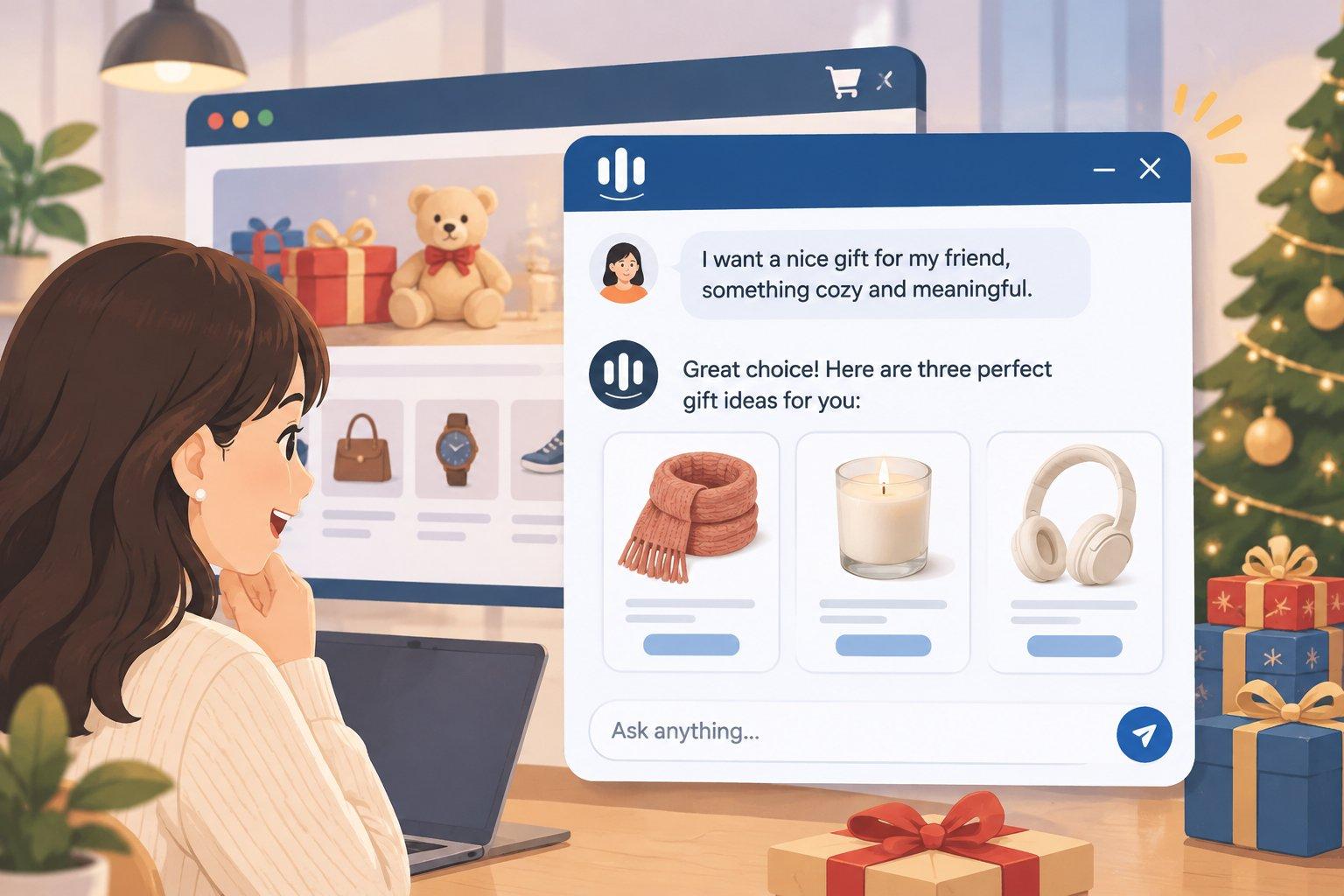
AI Product Recommendations in Chat: How to Build a Holiday Gift Finder for Your Shopify Store
Short answer: to recommend products well in chat, your AI assistant needs three things: accurate product data from your Shopify catalog, a short set of questions that narrow down what the shopper needs (who it's for, budget, style, deadline), and clear rules for how many options to show and when to hand off to a person. Set that up once and a chat-based "gift finder" can guide undecided shoppers to a confident purchase, day or night.
Holiday shoppers are a special kind of undecided. They're buying for someone else, often under time pressure, and they don't know your catalog the way you do. A filter sidebar with 14 options doesn't help much when the real question is "What do I get my dad who has everything?"
That's exactly the kind of question a conversation handles better than a menu.
Why recommendations in chat work differently from "You may also like"
Most Shopify stores already show recommendations: related products on a product page, "frequently bought together" blocks, bestseller carousels. Those are useful, but they guess based on what the shopper is looking at.
A chat recommendation can be based on what the shopper actually tells you:
- Who it's for (partner, parent, coworker, child)
- Budget ("under $50")
- Preferences ("she hates strong scents", "he's into cycling")
- Constraints ("needs to arrive before the 20th", "must be gift-wrapped")
That context makes it easier to suggest something relevant instead of something merely popular. It also feels closer to what a good in-store sales associate does: ask a couple of questions, then point to two or three good options.
Step 1: Get your product data ready
An AI assistant can only recommend what it understands. Before you turn on a gift finder, spend an hour on your catalog:
- Write descriptive product titles and descriptions. "Blue Mug 2" tells the AI nothing. "Hand-glazed stoneware mug, 350 ml, dishwasher safe" tells it a lot.
- Use tags and product types consistently. Tags like gift-for-him, under-50, eco-friendly or bestseller give the assistant clean signals.
- Keep variants and stock accurate. Recommending a size or color that's sold out is worse than recommending nothing.
- Document gift-relevant details. Gift wrapping, gift messages, gift cards, shipping cut-off dates and exchange windows for gifts all belong in your store policies or FAQ, where the assistant can read them.
Step 2: Design 3–4 qualifying questions
Long questionnaires kill conversions. Aim for a few quick questions, ideally with button-style answers where your chat supports them:
- "Who are you shopping for?" (Partner / Parent / Friend / Kid / Myself)
- "What's your budget?" (Under $25 / $25–50 / $50–100 / $100+)
- "What are they into?" (free text or a short list of themes matching your catalog)
- "When do you need it by?" (only if shipping deadlines matter)
Two rules help here. First, let shoppers skip questions; some already know what they want. Second, make sure every question changes the recommendation. If the answer to a question never affects what you suggest, cut it.
Step 3: Decide how recommendations are presented
How you show results matters as much as what you show:
- Show two or three options, not ten. Too many choices pushes the decision back onto the shopper, which is what they came to chat to avoid.
- Give one reason per option. "Popular with runners, lightweight, and fits in a jacket pocket" is more persuasive than a product name alone.
- Offer a safe choice. Many gift buyers appreciate a lower-risk option like a gift card or a bestseller with an easy exchange policy.
- Link straight to the product so the shopper can add it to the cart in one tap.
Step 4: Set guardrails
Good recommendations are honest recommendations. Write clear rules for your assistant:
- Only recommend in-stock products.
- Never invent product features, materials or delivery dates; if the information isn't in the store data, say so or ask a person.
- Respect the stated budget. Suggesting a $180 item to someone who said "under $50" breaks trust.
- Hand off to a human when the request is unusual (bulk corporate gifts, custom engraving, a complaint mixed into the question).
Step 5: Follow up, but gently
Plenty of gift shoppers browse, get a few ideas, and leave to "think about it." If they added something to the cart, a well-timed, respectful reminder can bring them back. Keep it short, mention the specific product, and stop once they've purchased or clearly lost interest.
Example: a gift-finder conversation
Shopper: Need a gift for my sister, she's 30, loves cooking. Assistant: Lovely! What budget are you thinking? Shopper: Around $40. Assistant: Here are three ideas she might like:
- Olive wood serving board – handmade, a nice everyday piece for someone who hosts.
- Spice blend trio – our most popular gift set for home cooks.
- Linen apron – comes in four colors and fits most sizes. Want me to check delivery timing to your area?
Notice what's happening: one qualifying question, three options, one reason each, and a natural next step.
How TaggoAI helps
TaggoAI for Shopify (listed on the Shopify App Store as Taggo: AI Chatbot) is built for exactly this kind of conversation:
- Learns from your own store. The AI assistant learns your products from your Shopify store, so recommendations come from your real catalog.
- Advises shoppers 24/7. It answers product questions, suggests products, tracks orders and can create draft orders around the clock.
- Works across channels. Store chat, Messenger, Instagram, WhatsApp and email, with conversations in one shared inbox.
- Hands off when unsure. When the AI isn't confident, it passes the conversation to your team with a summary.
- Recovers abandoned carts. Up to three reminder messages, an optional unique discount code per customer, and reminders stop automatically once the customer buys.
- Shows what's working. Reporting shows the revenue Taggo helped bring in.
You can try it free for 14 days.
FAQ
Will AI product recommendations replace my existing "related products" blocks? No. They work best together. On-page blocks help shoppers who are browsing; chat helps shoppers who have a specific need and want guidance.
How many products should a chat assistant recommend at once? Two or three is a good default. It gives choice without overwhelming the shopper.
What if my catalog is small? A gift finder can still help. With fewer products, the value is in matching the right item to the right recipient and answering gift-related questions such as wrapping, delivery timing and exchanges.
Can the assistant recommend products that are out of stock? It shouldn't. Keep inventory accurate and set a clear rule that only in-stock items are suggested.
Conclusion
Holiday shoppers don't need more products; they need help choosing. A chat-based gift finder built on clean product data, a few smart questions and honest guardrails turns "I don't know what to get" into "this is perfect" in a couple of minutes.
Ready to try it on your own catalog? Install TaggoAI for Shopify and start your 14-day free trial.
Ready to elevate your customer experience?
Deploy intelligent AI agents for your business in minutes.

