Why Shopify Chatbots Give Wrong Answers and How to Fix It
AI chatbots on Shopify sometimes give wrong answers about policies, stock or orders. Learn the main causes and 8 practical guardrails to keep replies accurate.
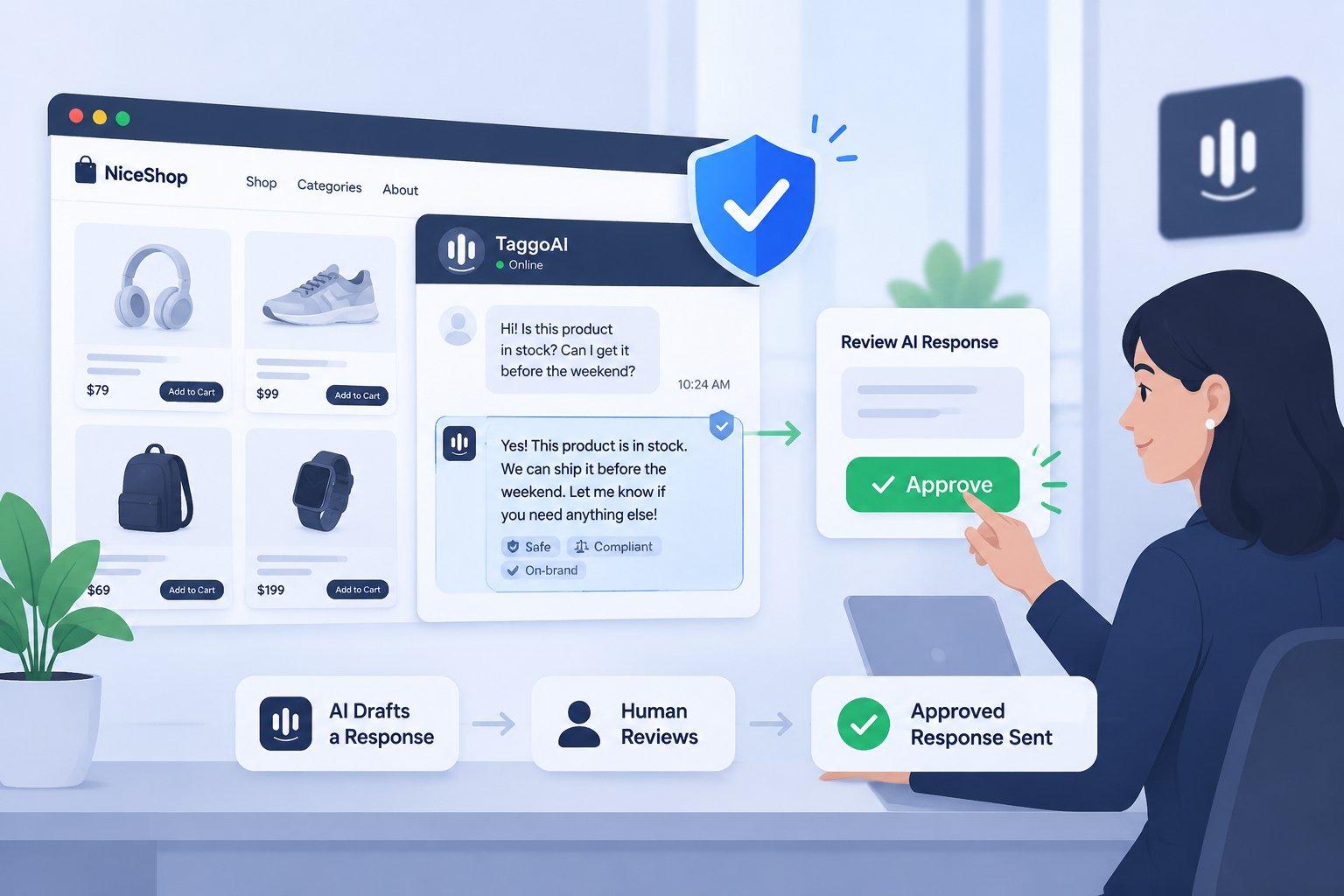
Why Shopify Chatbots Give Wrong Answers (and 8 Ways to Prevent It)
Short answer: most wrong chatbot answers come from four places: missing or conflicting store information, no connection to live order and stock data, no rule for when to hand off to a human, and too much autonomy too soon. You prevent them by giving the AI a single source of truth, connecting it to your store, limiting what it can do without approval, and testing it in draft mode before it talks to customers.
A chatbot that confidently tells a shopper "yes, we ship to Norway in 2 days" when you don't is worse than no chatbot at all. Here's why it happens and what to do about it.
The four root causes
1. The bot doesn't know the answer, so it guesses
Large language models are trained to produce fluent, helpful-sounding text. If your bot hasn't been given the facts, it may fill the gap with something plausible. In ecommerce, "plausible" is dangerous: return windows, shipping times and discounts have to be exact.
2. Your information contradicts itself
Your shipping page says 3 to 5 days. An old FAQ says 2 to 4. A product description mentions "free returns" from a promotion that ended last year. The AI has no way to know which one is current.
3. It can't see live data
Policies are static; orders and inventory are not. A bot that only reads your website can't know that the blue medium sold out an hour ago, or that a specific parcel is stuck at a depot.
4. It's allowed to do too much, too early
Letting an AI issue refunds, cancel orders or promise exceptions on day one is a recipe for expensive mistakes. Autonomy should be earned through testing.
8 ways to prevent wrong answers
1. Create one source of truth
Consolidate your policies into a single set of clear, current documents: shipping, returns, exchanges, warranties, payments. Delete or update anything outdated. If a human on your team would be confused, the AI will be too.
2. Write rules and exceptions explicitly
Instead of "returns are usually accepted," write: "Unworn items can be returned within 30 days of delivery. Final-sale items cannot be returned." Clear rules leave less room for creative interpretation.
3. Answer only from your data
Choose a tool that answers from your store's own information rather than general internet knowledge. When the answer isn't in your data, the right behavior is "let me check with the team," not an educated guess.
4. Connect live store data
For order status, tracking and stock, the bot should look up the real record in Shopify. That turns "it should arrive in 3 to 5 days" into "your order shipped on Tuesday and is in transit."
5. Define handoff triggers
Write down when the AI must pass the conversation to a person:
- The customer is upset or mentions a complaint.
- The request is an exception to policy.
- The AI isn't confident in its answer.
- The topic is sensitive, such as payment disputes.
A good handoff includes a summary, so the human doesn't start from zero.
6. Require approval for high-stakes actions
Separate answering from acting. Answering "what's your return policy?" is low risk. Cancelling an order, issuing a discount above a threshold or changing store rules is high risk. Keep a human approval step for the latter.
7. Test in draft mode before going live
Run a shadow period where the AI drafts replies but a person decides what gets sent. Track which topics need the most corrections; those are your knowledge gaps. Only expand autonomy once the drafts are consistently right.
8. Review and update regularly
Wrong answers often appear after something changes: a new carrier, a new product line, a seasonal promotion. Build a habit of updating the AI's knowledge whenever you change a policy, and review handed-off conversations monthly.
A simple autonomy ladder
Think of AI autonomy as levels you move through, not a switch:
| Level | What the AI does | When to use it |
|---|---|---|
| 1. Suggest | Drafts replies; staff send them | First days of setup |
| 2. Approve first | Drafts; replies go out after a click | Testing period |
| 3. Auto-answer common questions | Sends routine answers; important actions wait for approval | After drafts are reliably accurate |
| 4. Act within limits | Handles defined tasks within limits you set | Mature, well-tested setups |
Most stores do well at level 3 for a long time. There's no prize for rushing to level 4.
What to do when a wrong answer slips through
Even with guardrails, mistakes can happen. Handle them like you would a staff error:
- Correct it quickly with the customer, honestly and politely.
- Honor reasonable expectations where it makes sense, especially for small amounts.
- Fix the source: update the document or rule that caused it.
- Check for similar cases in recent conversations.
How TaggoAI helps
TaggoAI for Shopify is designed with these guardrails in mind:
- Answers from your business data. The AI responds from the information you give it, and when it isn't sure, it hands off to a person with a conversation summary.
- Four autonomy levels you choose: suggestions only, drafts awaiting approval, auto-answering common questions while important tasks wait for approval, or acting within limits you set. You can turn the AI off at any time.
- Owner approval for sensitive actions. The AI proposes and the store owner approves; for example, cancelling COD orders and changing rules always require the owner's confirmation.
- Live store data: product advice, order tracking and draft order creation, 24/7, on your store chat, Messenger, Instagram, WhatsApp and email.
- A safe trial. During the 14-day trial, the recommended approach is to run the AI in parallel for the first week: it drafts but doesn't send, so your team can grade its answers first.
FAQ
Why does my chatbot make things up? Usually because it hasn't been given the answer, or it's been given conflicting answers. Restrict it to your own data and fill the gaps.
Can an AI chatbot be 100% accurate? No system, human or AI, is perfect. The goal is to make errors rare and low-impact through clear data, handoffs and approval for risky actions.
Should I let the chatbot issue refunds? Many stores keep refunds and cancellations behind human approval, at least until they've tested the AI thoroughly.
How do I know where my chatbot is weak? Review conversations it handed off and drafts your team corrected. Patterns there point directly to missing or unclear information.
Conclusion
Wrong chatbot answers aren't a mystery. They come from missing information, conflicting sources, no live data, and too much autonomy too soon. Fix your source of truth, connect your store, set handoff and approval rules, and test before going live. Your chatbot will earn customers' trust instead of eroding it.
Try a chatbot built with guardrails: install Taggo: AI Chatbot from the Shopify App Store and start your 14-day trial in draft mode.
Ready to elevate your customer experience?
Deploy intelligent AI agents for your business in minutes.

